
Onsite IT Dispatch and Remote Hands Support
Scoped onsite IT dispatch and remote hands support for office technology, network equipment, vendor coordination, documentation, and remote-team handoff.
Scope
Defined onsite task and technical owner
Identity
Network-room, equipment, and vendor coordination
Endpoints
Closeout notes, photos, and handoff documentation
Give remote teams reliable hands at the location
BCT turns the current IT environment into a clearer support and readiness plan. The goal is to identify what exists, what is weak, who owns each fix, and what evidence should be maintained before the next customer, contract, or assessment request.
Backup
Backup scope, alerts, restore testing, and recovery documentation.
Evidence
SSP, POA&M, screenshots, exports, diagrams, and owner-assigned tasks.
Support
A recurring review rhythm that keeps the environment supportable.
Request IT Service
What BCT includes for Onsite IT Dispatch and Remote Hands
- Defined onsite task and technical owner
- Network-room, equipment, and vendor coordination
- Closeout notes, photos, and handoff documentation
Why businesses and IT teams that need hands-on work at a supported location choose Business Computer Technicians
A generic help desk page does not match this buyer. The work needs to connect users, devices, Microsoft 365, Azure, backups, remote access, and documentation to the business requirement that created the pressure.
Get the BCT IT Checklist
Who We Serve
- Internal or remote IT team needs a technician at the business location
- Task has a defined scope, responsible technical owner, and access plan
- Office, rack, network, or vendor work needs hands-on verification
Who We Help
Scoped onsite IT dispatch and remote hands support for office technology, network equipment, vendor coordination, documentation, and remote-team handoff.
Where This Helps
Use this page when leadership needs to turn customer, contract, or compliance pressure into a practical IT support plan with owners, dates, and evidence.
Scope
Systems, users, vendors, and data paths that may touch controlled information.
Identity
Microsoft 365, Entra ID, MFA, admins, groups, guests, and access review.
Endpoints
Device inventory, patching, protection, encryption, and local admin rights.
Backup
Backup scope, alerts, restore testing, and recovery documentation.
Evidence
SSP, POA&M, screenshots, exports, diagrams, and owner-assigned tasks.
Support
A recurring review rhythm that keeps the environment supportable.
Remote and Local Support Areas
BCT can support Seattle-area, Charlotte-area, and remote teams that rely on Microsoft 365, Azure, cloud services, office networks, and documented support ownership.
Frequently Asked Questions
Support is available for businesses working from the Seattle and Charlotte markets, as well as distributed teams that need practical IT cleanup, documentation, and recurring review. The first call should focus on systems, users, deadlines, and whether controlled or customer-sensitive data is involved.
Talk to BCT about Onsite IT Dispatch and Remote Hands
Can BCT certify our organization?
No. BCT supports the IT control layer, documentation inputs, cleanup, and ongoing support. Formal certification, legal interpretation, and assessor decisions belong with the appropriate C3PAO, attorney, or compliance advisor.
Can you help with Microsoft 365 and Azure evidence?
Yes. BCT can help review users, groups, MFA, admin roles, cloud resources, endpoints, backups, logging, and other support records that owners or advisors may need to evaluate.
What should we bring to the first call?
Bring the approximate user and device count, Microsoft 365 or Azure overview, known deadlines, any questionnaire or gap list, and whether controlled or customer-sensitive data is confirmed or suspected.
What is the best next step?
Request a Onsite IT Dispatch and Remote Hands review so the current environment can be translated into owner-assigned next steps.
Clear Ownership
Readable priorities, owners, dates, and next steps instead of vague compliance noise.
Practical Evidence
Screenshots, exports, inventories, and support records that match the real environment.
Ongoing Support
A support rhythm that keeps access, backups, endpoints, and documentation from drifting.
Request IT Service
Read More IT Industry Insights & Tips
Start with a focused readiness review. BCT can help separate urgent support issues from compliance-readiness gaps and build a practical support plan around both.
Start the readiness conversation
Useful next pages:
FortiGate Rule Review Checklist for Safer Firewall Changes
Review FortiGate policy, objects, NAT, VPN, administrators, firmware, logging, backups, subscriptions, validation, and rollback before changing production.
Fortinet vs. Palo Alto vs. SonicWall vs. Sophos vs. WatchGuard for Business Firewalls
Compare business firewall options by operating fit, policy, management, VPN, logging, subscriptions, support, migration, lifecycle, and internal skill.
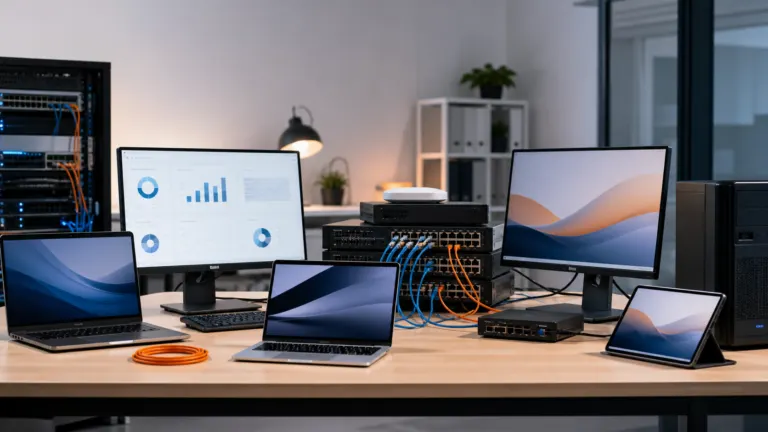
How to Standardize a Mixed-Vendor IT Environment Without Forcing One Stack
Build one support, security, backup, ownership, lifecycle, and documentation standard across different cloud, network, server, device, and application vendors.
SOC 2 Compliance for Professional Services: The Complete Guide
Law firms, accounting practices, and consulting agencies operate at the center of their clients’ trust. Financial records, legal strategies, tax planning—.
Security Compliance for SaaS Startups: From MVP to Enterprise
You’ve built something remarkable. Your SaaS product solves a real problem. Users love it. You’re growing fast. And then you get the email from your first.
HIPAA Compliance for Healthcare Practices: What You Need to Know
Healthcare practices are increasingly targeted by cybercriminals, and a patient-data incident can create regulatory, legal, operational, and reputational.